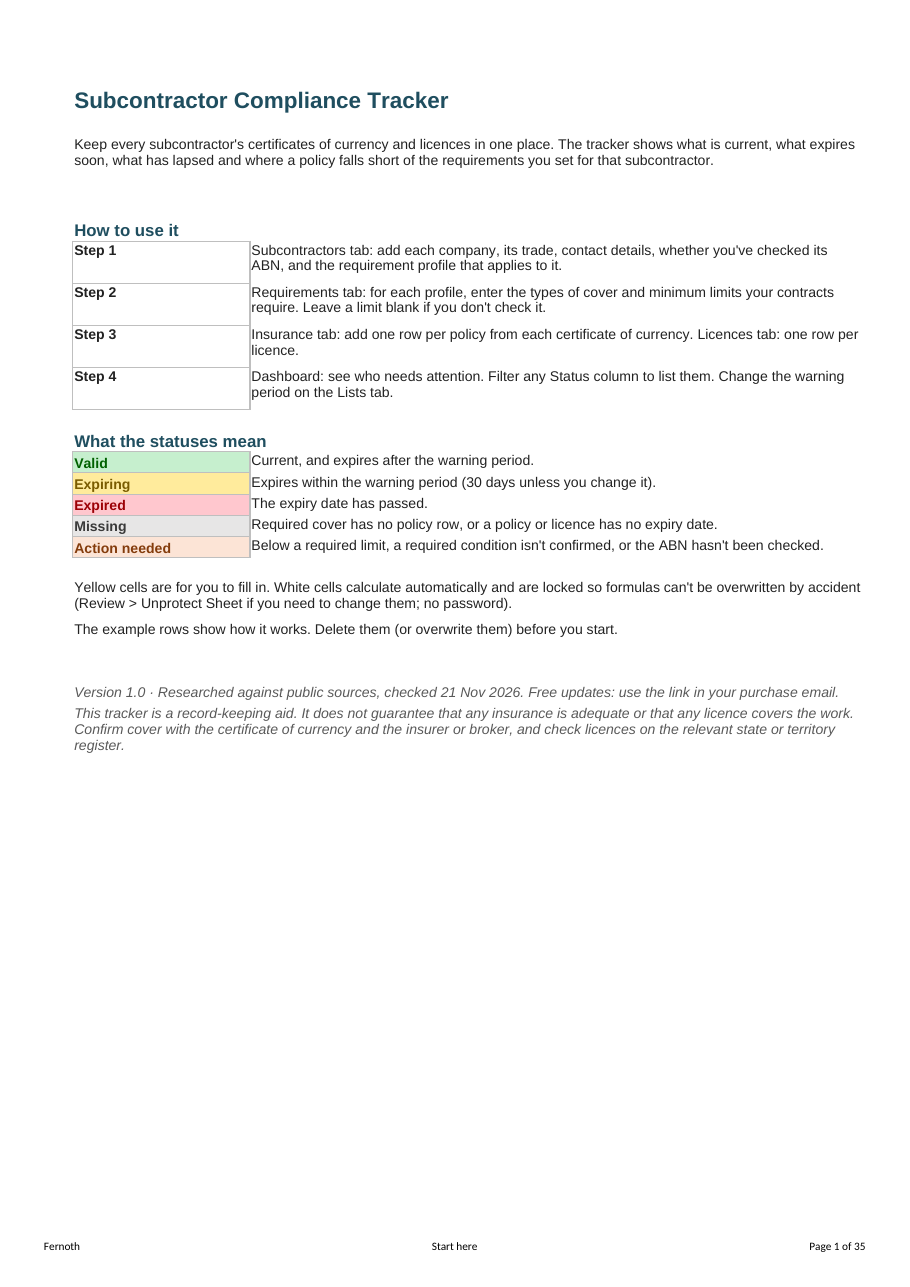
A spreadsheet that keeps every subcontractor's certificates of currency and licences in one place, flags what expires in the next 30 days, and checks each policy against the cover you require. Excel and Google Sheets. One-time price, no subscription.
What it does
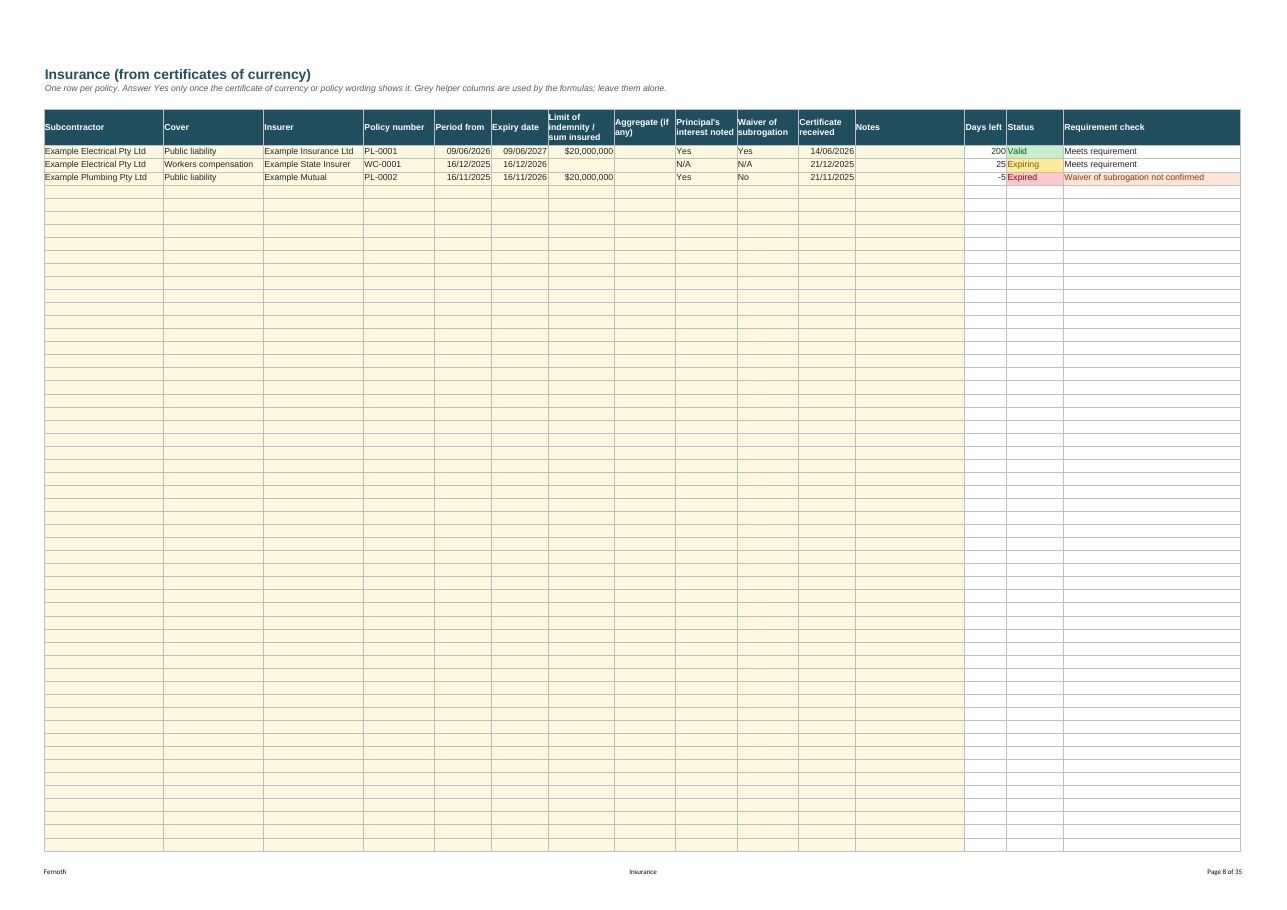
- One row per policy, one row per licence. Insurer, policy number, period, limit of indemnity, principal's interest noted, waiver of subrogation.
- Status on every row: Valid, Expiring (within 30 days, or a warning period you choose), Expired, Missing.
- Requirement check: set requirement profiles with your own minimum limits and conditions. Each policy shows "Meets requirement" or exactly what falls short.
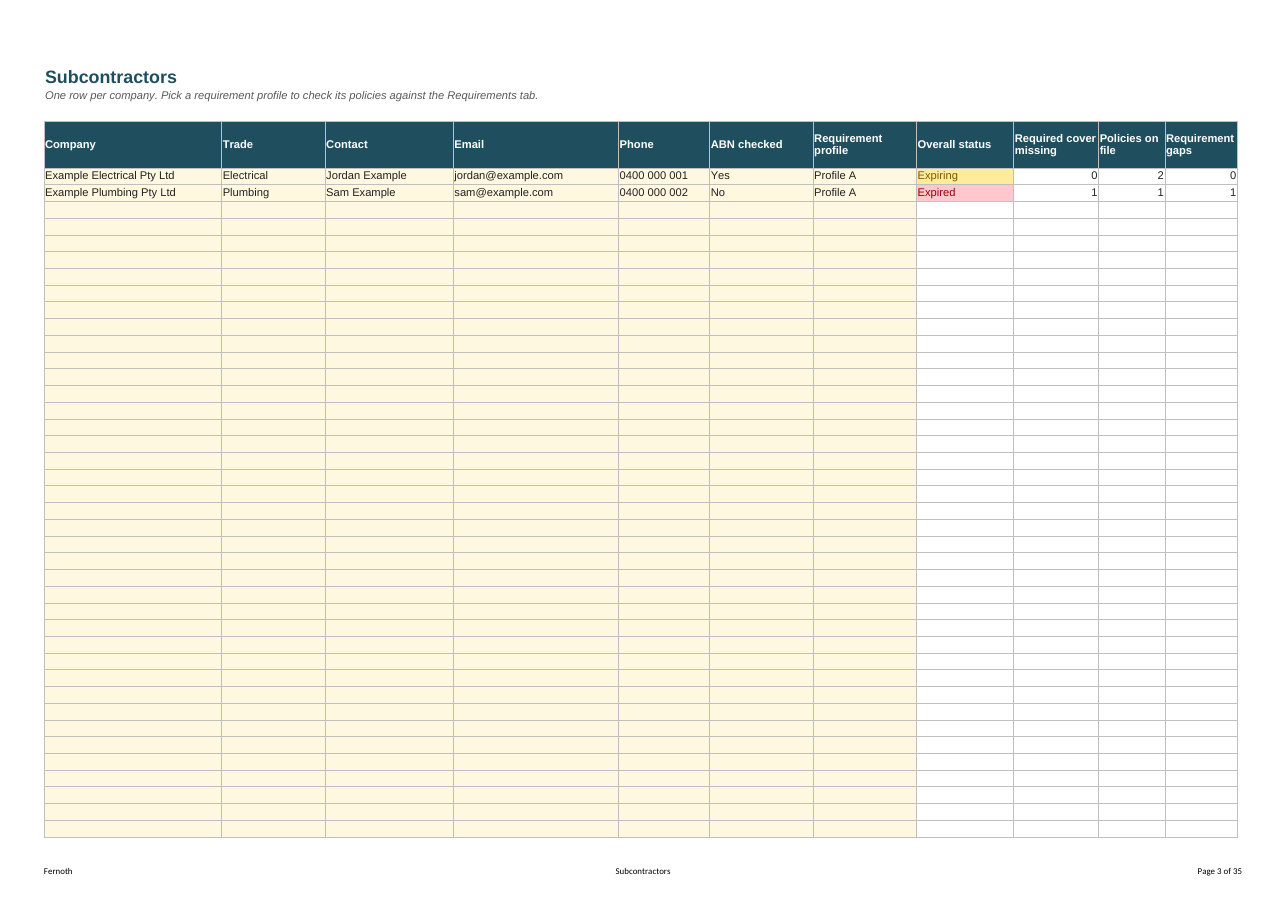
- Missing cover count: if a profile needs workers compensation and there's no policy row for it, the subcontractor is flagged.
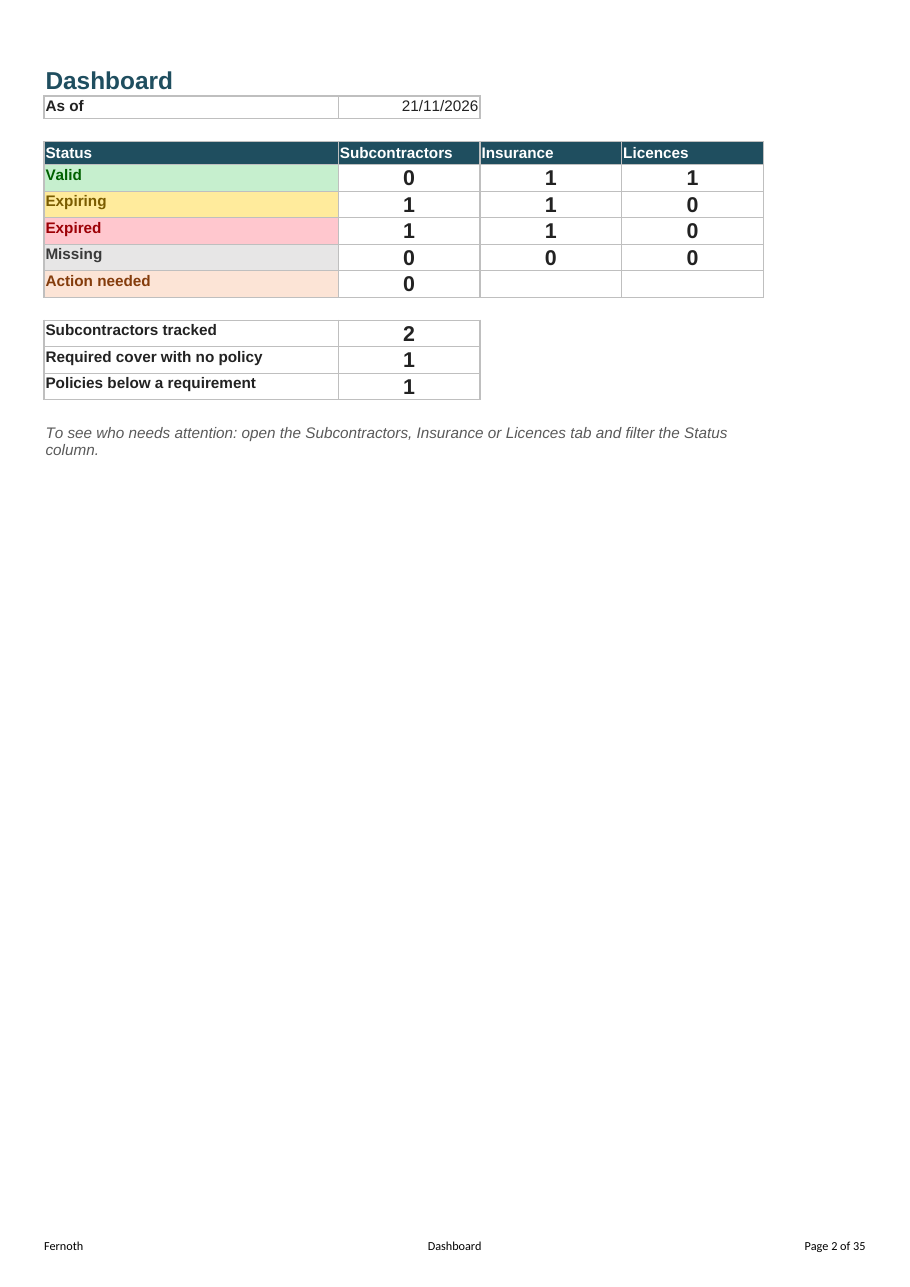
- ABN checked column, an overall status per subcontractor and a one-page dashboard.
What's included
| Tab | Purpose |
|---|---|
| Start here | Four-step setup and what each status means |
| Dashboard | Counts by status for subcontractors, insurance and licences |
| Subcontractors | Up to 200 companies with contacts, ABN check and requirement profile |
| Insurance | Up to 600 policies from certificates of currency |
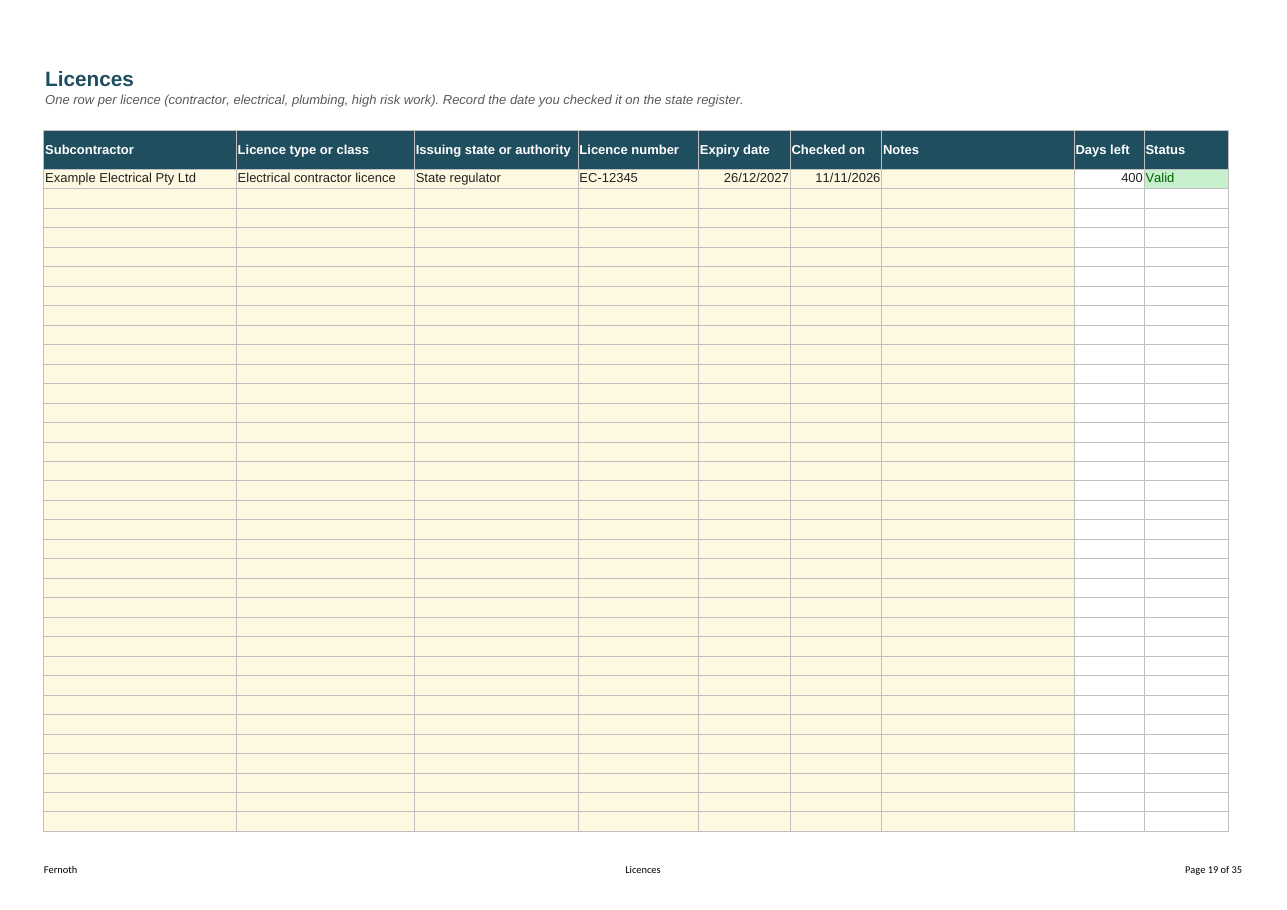
| Licences | Up to 400 licences (contractor, electrical, plumbing, high risk work) with the date you checked them |
| Requirements | Your own minimum limits and conditions per profile |
| Lists | Types of cover, profile names, warning period |
| Changelog | Version history |
Works with
Excel 2016 or later (Windows and Mac) and Microsoft 365. Google Sheets via a make-a-copy link. A4 print layout, DD/MM/YYYY dates. No macros, no add-ins, no account.
What it isn't
- Not insurance advice. It ships with requirement limits blank: you enter what your contracts require.
- Not a subcontract or subcontractor statement. It records what you've checked.
- Not software. No logins and no per-subcontractor fees. Open the file and see the status.
Licences
| Licence | Who | Launch price |
|---|---|---|
| Single | One person in one business | A$31 |
| Team | Up to 10 people in one company | A$77 |
Lifetime free updates. Licence terms · Refunds
FAQ
Does it work in Google Sheets? Yes. Your download includes a make-a-copy link that puts your own copy in your Google Drive.
Which Excel do I need? Excel 2016 or later on Windows or Mac, or Microsoft 365.
Can I change the 30-day warning? Yes. Set any number of days from 1 to 365 on the Lists tab.
Does it tell me what cover to require? No. Requirements come from your contracts and your broker. You enter them once per profile.
Is there a version with the training matrix? Yes: the Subcontractor Compliance Kit includes both.
Fernoth research, sources checked 21 Nov 2026. This tracker is a record-keeping aid. It does not guarantee that any insurance is adequate or that any licence covers the work.